


Excel Productivity Improvement Tricks:
Sheet Navigation Trick in Excel:
CTRL + PAGE DOWN → Moves to the sheet on the right.
CTRL + PAGE UP → Moves to the sheet on the left.
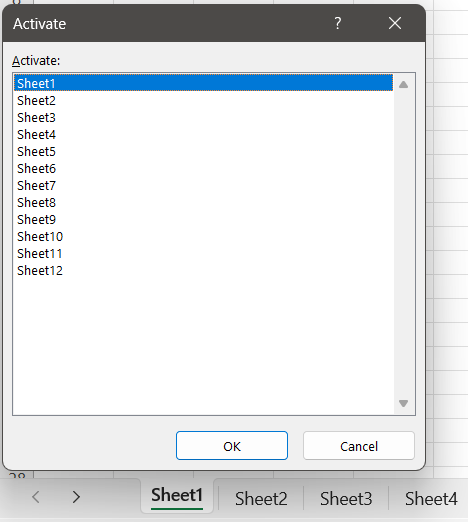
When working with more than five sheets, there’s a handy mouse shortcut for quicker navigation:
Right‑click the navigation arrows located to the left of the first sheet tab (next to “Sheet1”). This opens a list of all sheets, allowing you to jump directly to the one you want.
Selection Navigation in Excel:
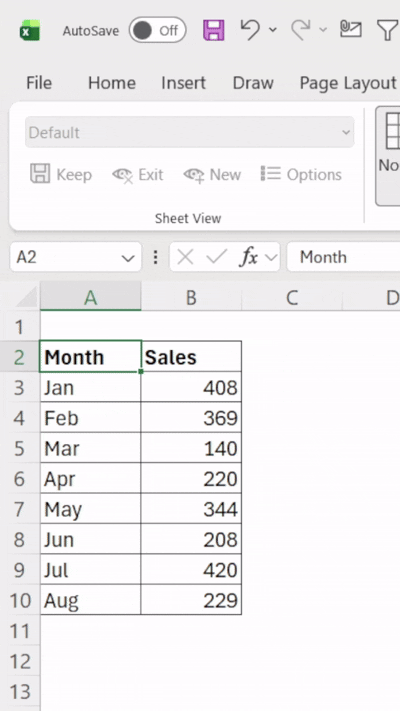
When working with large datasets, you can quickly move between the corners of a selected range using the shortcut CTRL + . (Period).
Each press cycles through the top‑left, top‑right, bottom‑right, and bottom‑left corners of the current selection.
🚀 Productivity Tip for Excel Users:
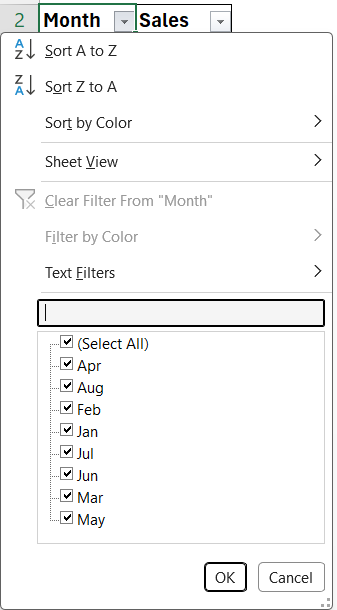
Did you know you can jump straight into the Filter pane search box with a shortcut?
CTRL + SHIFT + L to apply filter and Just press ALT + DOWN ARROW + E — no more clicking around!
This tiny trick saves time when working with multiple filters.


Comments